Orbitall
Orbitall — Your Offline Personal Calendar
Free, with no account and no internet needed.
Orbitall is a personal calendar and scheduling app that lives entirely on your phone. You don't need the app store, there's no subscription, and there's no server that can go down. Once you add it to your home screen it works for good, even in airplane mode.
It was built around the way people actually think about time. Some things happen every month without fail, like bills and insurance and trash day. Other things happen once and then they're done, like a dentist appointment or a movie night. And some things don't have a date yet but you still don't want to forget them. Orbitall handles all three of these and keeps them from getting in each other's way.
What's inside
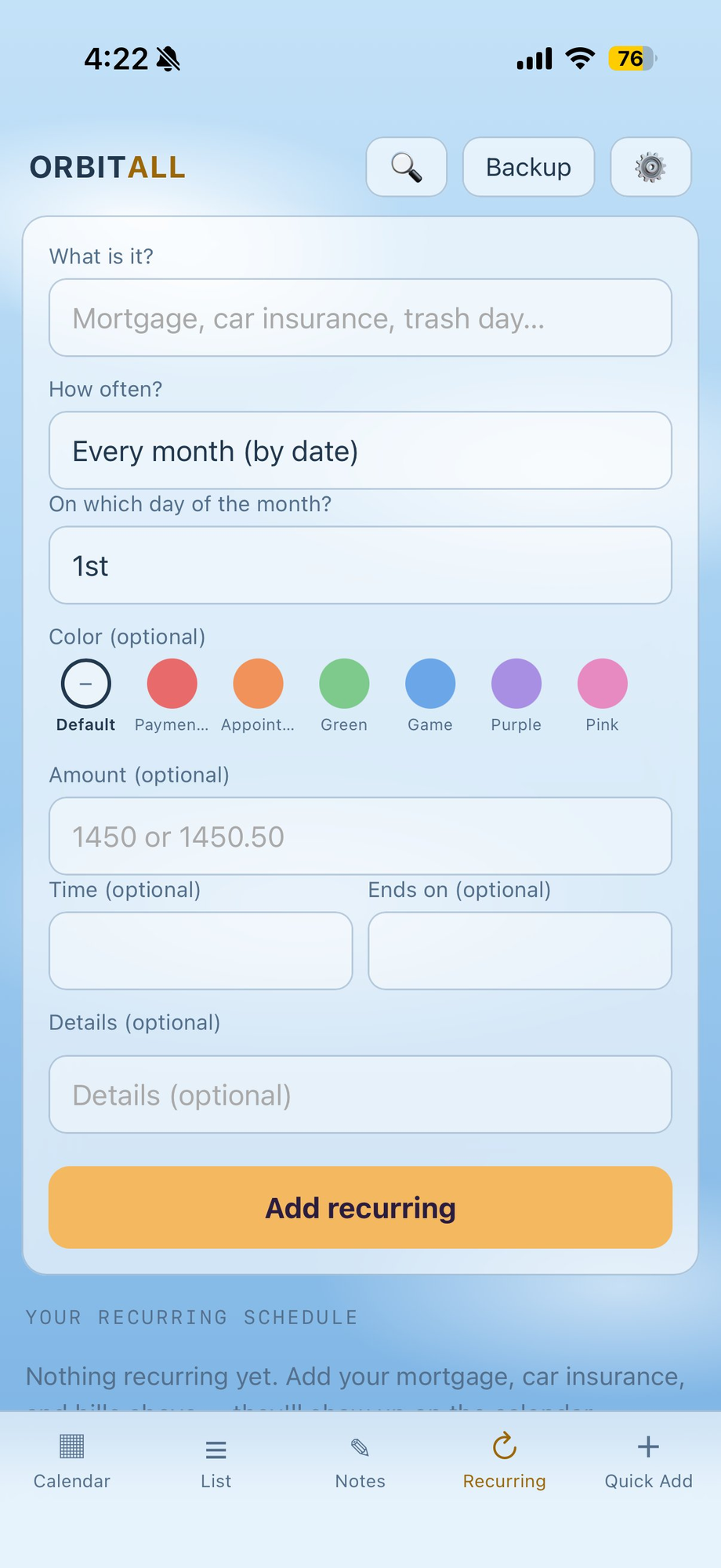
Recurring schedule. Set up your bills, payments, and routines once and let them populate the calendar from then on. You can choose monthly by date, monthly by weekday (such as the first Wednesday or the last Friday), weekly, every two weeks, or yearly. If you add a dollar amount, Orbitall keeps a running total of how much is due this month and how much you've already handled.
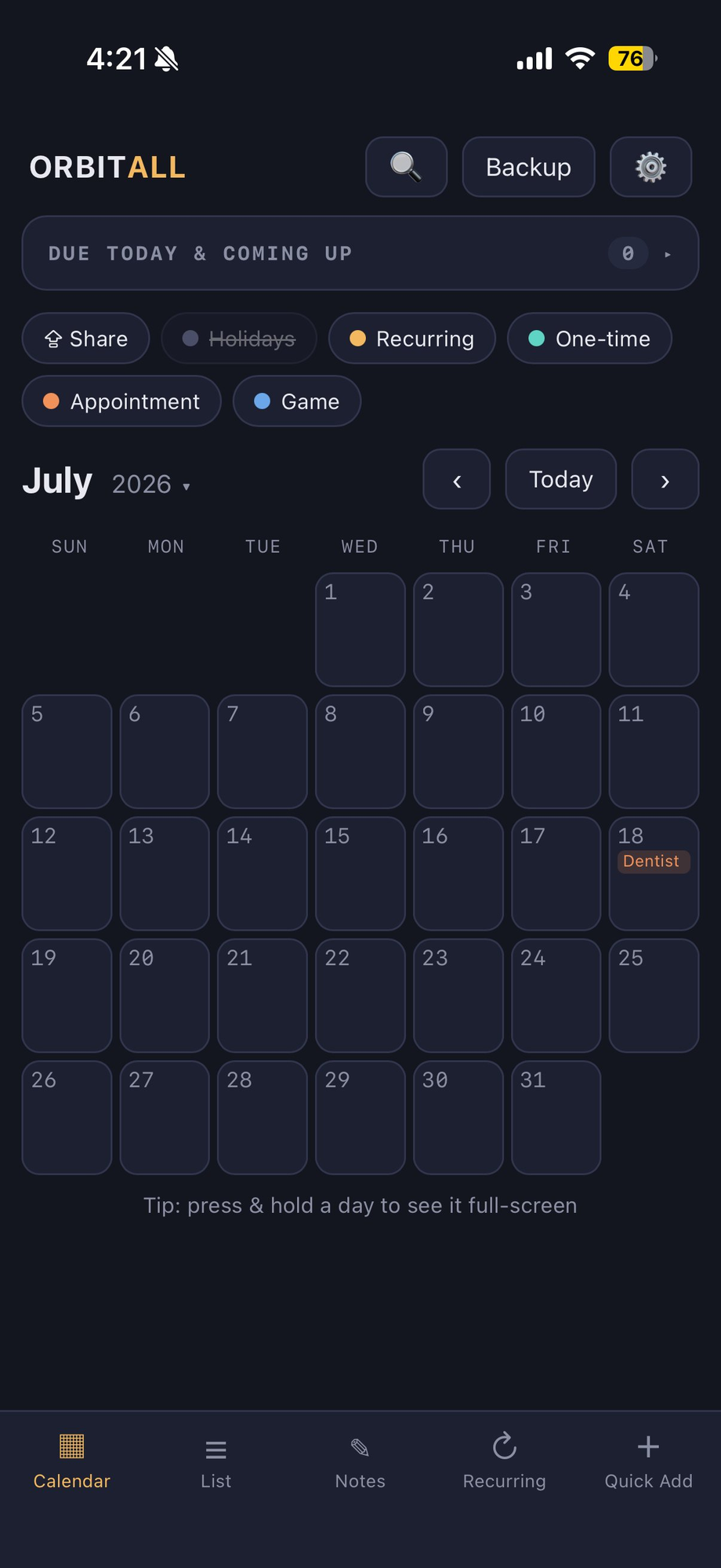
One-time tasks. Tap any day to add something to it, and once that day passes it clears itself automatically. There's nothing to clean up and no archive to dig through.
Multi-day events. Add a vacation or a work trip as a single event covering a range of days, and it shows up as one banner across the calendar instead of cluttering every day.
Notes. This is an undated space for the loose thoughts and reminders that aren't ready for a calendar slot yet. When one of them is ready, you give it a date and it turns into a real task.
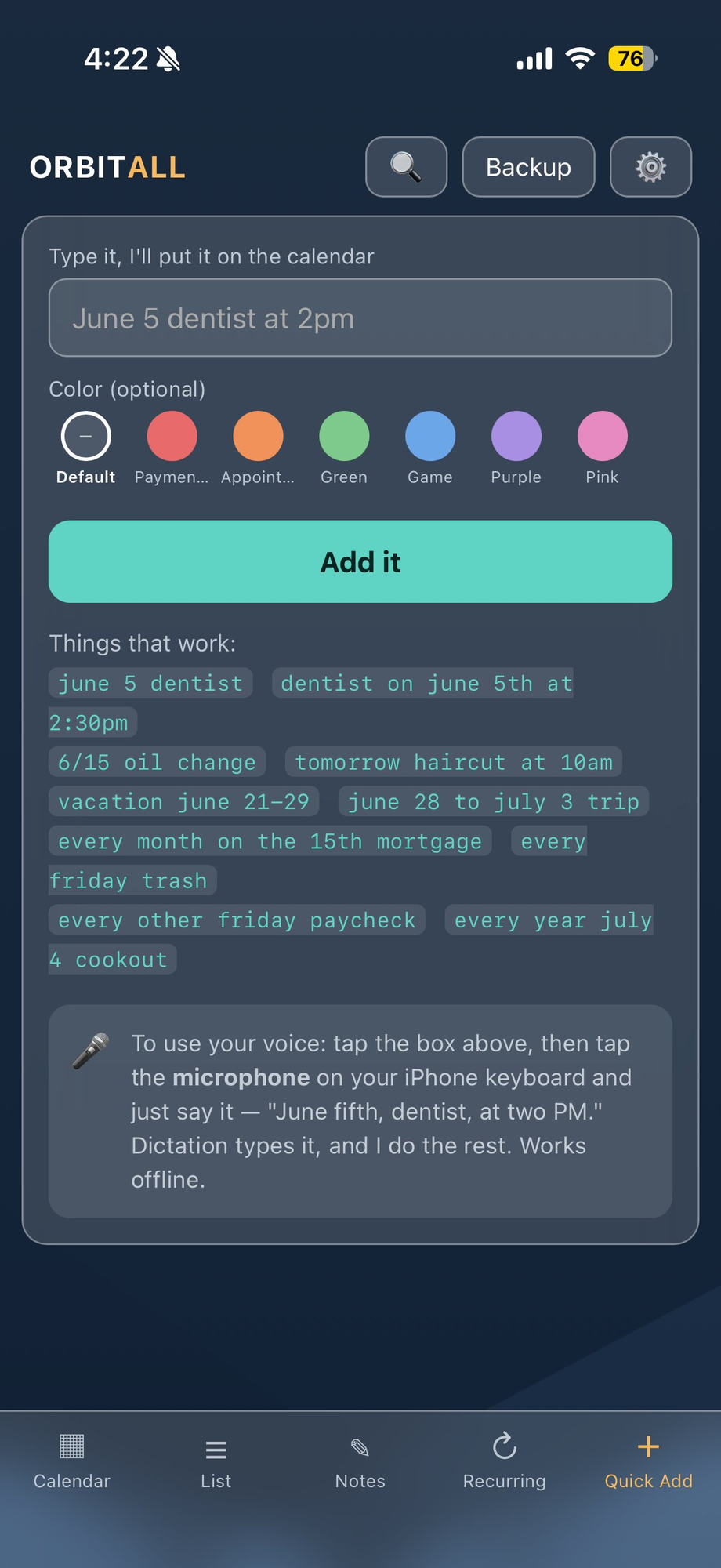
Quick Add. You can type the way you'd say it out loud, with things like "june 5 dentist at 2:30pm" or "every other friday paycheck" or "vacation june 21-29". A live preview shows you what it's going to create before you commit, and voice input works offline too.
Details on anything. Beyond the title, you can add optional details to any task, event, or bill. That's the place for a note, an address, a confirmation number, or anything else you want on hand when you open it up.
Search. Type a keyword and Orbitall finds every matching entry across your tasks, events, recurring items, and notes. Tapping a result takes you straight to it.
List view. This is a clean, ordered run of everything coming up, broken into 30-day windows you can swipe through. It's handy for a quick scan in the morning.
Swipe navigation. Swipe left or right across the calendar to move between months, and across the list to move through date ranges. If you press and hold a day, it opens full-screen so you can see everything on it.
Sharing that stays offline. Select the days you want to send, choose what to include, and Orbitall turns it into a simple block of text. You can copy it, text it, or email it however you like. When the other person pastes it in, they get to review every item and approve what actually goes onto their calendar, so nobody can flood your schedule without your say-so. There are no files involved, no accounts, and no links that expire.
Make it yours
Custom colors and labels. Along with six built-in colors you can add as many of your own as you want. Pick any shade with the color wheel or a quick preset, give it a name that means something to you like "Bills" or "Gym" or "Kids", and filter your calendar by color whenever you want a clearer view.
More than twenty themes. These range from clean Dark, Light, and Black to frosted-glass gradients like Sunset, Aurora, Mountain, Ocean, and Forest, along with creative looks like Matrix, Spooky, Synthwave, Comic, and Terminal. They all live on their own screen so they're easy to flip through.
Holidays. You can toggle US holidays on or off depending on whether you want them showing up.
Private by design
Everything you enter is stored locally on your own device. There's no account, no cloud, no tracking, and no ads, so your data never leaves your phone. If you ever want to move to a new phone or keep a copy, the built-in backup and restore feature saves your whole setup to a file.
Installing it
Open Orbitall in your browser and then add it to your home screen. On an iPhone you tap the Share button in Safari and choose Add to Home Screen. On Android you open the Chrome menu and choose Install App. Either way it gets its own icon and opens fullscreen like a normal app, and it runs offline from that point on.
https://orbitall-app.github.io/Orbitall
Orbitall is a MiThiKaL Productions release, built as a single self-contained file with no frameworks and no internet required.
Feedback and suggestions are always welcome at Roguemategame@gmail.com.
Leave a comment
Log in with itch.io to leave a comment.